Coding Languages for Kids: From ScratchJr to Blockly – What Works at Each Age
Ask a parent what they hope for their child’s future, and you will rarely hear “I want them to memorise syntax.” What you will hear is: curiosity, confidence, the ability to solve problems and adapt. These are precisely the qualities that learning to code, introduced at the right age and in the right way, quietly begins to build. Long before a child can type, they can begin to think like a programmer.
The question parents and educators ask most often is not whether children should learn to code, but when to start and which tools actually match a child’s developmental stage. A four-year-old navigating ScratchJr is on a very different learning journey from an eight-year-old exploring Google’s Blockly, and both are worlds away from the older child writing their first Python script. Matching the tool to the age matters enormously, both for engagement and for genuine skill development.
This guide walks through the key coding languages and platforms suited to each stage of early childhood and beyond, explains the developmental reasoning behind each recommendation, and shows how thoughtful schools in Singapore are already weaving coding into the fabric of early learning. Whether you are a curious parent, an educator, or someone who simply wants to understand the landscape, you will find a practical, age-by-age picture here.
Why Coding Belongs in Early Childhood
There is a common misconception that coding is a secondary-school subject, something to be introduced once a child can read fluently and handle abstract algebra. Developmental research increasingly challenges this view. Computational thinking, which is the capacity to decompose a problem, spot patterns, and devise a sequence of steps to reach a goal, begins developing in the toddler years. When a two-year-old stacks blocks in a specific order to stop them toppling, they are practising sequencing. When a three-year-old figures out that pressing a button in a different order produces a different song, they are exploring conditional logic.
Early exposure to coding concepts does not require a screen or a keyboard. It requires experiences that reward logical thinking, encourage trial and error, and celebrate the moment a child says “Oh! I know what to do differently.” Coding in early childhood is, at its heart, a language for thinking. The specific platforms and tools matter less than the mindset they cultivate.
At ChildFirst, coding is treated as the third language in a trilingual model alongside English and Chinese. This framing reflects a serious belief that the language of computation will be as essential to the next generation as spoken and written language. Pairing it with the school’s artificial intelligence curriculum, its human intelligence curriculum, and its multiple intelligences curriculum means coding is never taught in isolation. It is woven into creative, social, and analytical learning from the earliest years.
Ages 18 Months to 3 Years: Laying the Groundwork
At this stage, no screen-based coding tool is developmentally appropriate, and nor should one be. The groundwork for computational thinking is laid through physical play, structured routines, and cause-and-effect exploration. Parents and educators are building the cognitive architecture that coding will later inhabit.
Useful activities at this age include simple sequencing games, such as sorting objects by colour or size in a repeating pattern; following two-step instructions; and puzzles where the child must plan a path before acting. Board games designed for toddlers, like the tactile card game Robot Turtles, introduce the concept of giving a character instructions to reach a destination, without any technology involved. The vocabulary of coding, words like “next”, “if”, “then”, “try again”, begins here, spoken naturally by the adults around them.
What matters most at 18 months to 3 years is playful agency: the child making choices, observing outcomes, and adjusting. This is debugging in its most primal form, and it is the foundation of every coding skill to come.
Ages 3 to 5: First Steps into Visual Coding
By the age of three, children are ready for guided introductions to screen-based coding tools, provided sessions are short, purposeful, and led by an adult. The defining feature of appropriate tools at this stage is icon-based navigation: no reading required, with large visual cues and immediate, satisfying feedback.
ScratchJr
ScratchJr, developed by the MIT Media Lab and the Tufts University DevTech Research Group, is the gold standard for this age band. Designed for children aged 5 to 7 (though many 4-year-olds engage well with adult support), it uses colourful interlocking blocks, each carrying a picture rather than text, to control animated characters called sprites. A child can make a cat walk across the screen, jump when tapped, or speak a word, all by snapping together blocks in a sequence. The immediate visual payoff is deeply motivating.
What makes ScratchJr developmentally sound is its storytelling structure. Children are not just executing commands; they are directing characters in a narrative they have invented. This bridges the child’s existing strength, imaginative play, with emerging logical thinking. For trilingual learners especially, the story-making frame encourages language use across all three languages in a child’s environment, even as the coding itself remains wordless.
Coding Toys and Unplugged Activities
Alongside screen tools, physical coding toys play a valuable role for 3 to 5-year-olds. Programmable floor robots such as Bee-Bot allow children to press directional buttons in a sequence and then watch the robot execute their plan. The physical movement of the robot through space makes abstract sequencing logic tangible and memorable. These tools also encourage collaboration, with two or three children often working together to plan a path, negotiate the steps, and cheer when it works.
Ages 5 to 7: ScratchJr, Blockly, and Beyond
Children in this range are typically beginning to read, developing stronger fine motor control, and capable of holding a multi-step plan in working memory. This makes it an ideal period to deepen engagement with ScratchJr and, as reading ability grows, to introduce Google’s Blockly and similar block-based environments.
Blockly
Blockly, created by Google, is a visual programming editor that uses interlocking text-labelled blocks to represent code. Unlike ScratchJr‘s icon-only system, Blockly introduces actual programming vocabulary: loops, conditionals, variables, and functions are all represented as named blocks that children drag and connect. The key insight behind Blockly‘s design is that it generates real code underneath, so a child can toggle to see the JavaScript or Python equivalent of what they have built. This makes it an excellent bridge between visual and text-based thinking.
Blockly Games, the free suite of puzzle games built on the same engine, is particularly useful for classroom settings. Each game introduces one new concept at a time, from basic movement to nested loops, in a context that feels like play. Children at 6 or 7 who complete the Blockly maze series have a meaningful grasp of algorithmic logic that will serve them well when they encounter text-based languages later.
Code.org and Guided Curricula
For structured classroom learning at this age, Code.org offers sequenced activity courses that use familiar characters from popular children’s media to make coding feel immediately relevant. The platform’s “Hour of Code” activities have introduced millions of children to block-based programming in a single session. What distinguishes Code.org’s early courses is the deliberate scaffolding: each lesson is designed to introduce exactly one new concept, with enough repetition to consolidate it before the next idea appears.
Ages 8 and Above: Bridging to Text-Based Thinking
Around the age of 8, most children are ready to explore richer block-based environments and, for many, begin the transition toward text-based code. This is when the foundational thinking developed in earlier years starts to pay clear dividends.
Scratch. The full version of Scratch (as distinct from ScratchJr) is the natural next step for children who have outgrown the icon-only interface. Scratch uses text-labelled blocks and introduces a richer set of programming structures, including broadcasts, cloning, and list management. Its project-sharing community means children can publish their games and animations, receive feedback from peers worldwide, and be inspired by what others have created. This social dimension adds genuine motivation.
Tynker. Tynker offers a gamified coding curriculum that parallels Scratch in structure but adds themed courses, Minecraft modding, and STEM challenges. For children who are motivated by game creation specifically, it provides a strong contextual hook alongside the programming instruction.
Python via simplified editors. Children aged 10 and above who are comfortable with block-based coding often respond well to a gentle introduction to Python through tools such as Thonny or Mu Editor. Python’s readable syntax, which reads much like plain English, makes it the most accessible first text-based language. Simple projects such as a number-guessing game, a turtle graphics drawing, or a basic quiz programme deliver satisfying results quickly, maintaining motivation during what can feel like a step backward in terms of immediate gratification.
How to Choose the Right Tool for Your Child
No single tool suits every child, even within the same age band. A useful way to narrow the choice is to start from your child’s existing interests and strengths, then find the tool that channels those strengths into a coding context.
- For the storyteller. ScratchJr and full Scratch both foreground narrative. Children who love inventing characters and plots will find immediate purpose in making those stories move and respond.
- For the puzzle-solver. Blockly Games, Lightbot, and Code.org‘s maze activities are structured as puzzles with clear goals and satisfying solutions. Children who are Logical-Mathematical in their dominant intelligence tend to thrive here.
- For the builder. Physical coding tools such as Bee-Bot, LEGO Spike, and Micro:bit connect programming to tangible, three-dimensional outcomes, which is ideal for children who are Bodily-Kinesthetic or Spatial in their learning profile.
- For the visual artist. Scratch and Processing allow children to use code as an artistic medium, generating animations, interactive art, and sound-responsive visuals.
Equally important is pacing. A child who feels overwhelmed or bored will disengage quickly, and no amount of curriculum design compensates for the wrong fit. Start with sessions of 15 to 20 minutes, follow the child’s lead on what to explore next, and resist the urge to push to the next level before the current one feels comfortable and fun.
Coding as the Third Language: The ChildFirst Approach
One of the most distinctive features of ChildFirst’s curriculum is the positioning of coding not as a STEM elective or after-school enrichment, but as a core language woven into daily learning alongside English and Chinese. This trilingual model reflects a conviction that the children entering pre-school today will live and work in an era where AI mastery is not optional. Treating coding as a language from the outset, rather than a subject, changes how children relate to it. Languages are acquired through immersive, repeated, contextualised use. They feel natural rather than intimidating.
The EdnoLand curriculum technology and EdnoAI applications that underpin ChildFirst’s programme allow educators to personalise the coding experience for each child’s developmental stage and intelligence profile. A child who is highly Bodily-Kinesthetic might engage with coding through robotics and physical computing, while a child with strong Linguistic intelligence might approach the same concept through interactive story-coding in ScratchJr. The technology adapts; the child leads.
Critically, coding at ChildFirst does not displace human skills. The school’s human intelligence curriculum ensures that creativity, empathy, ethical reasoning, and communication remain central. Children are not trained to think like machines; they are equipped to direct machines thoughtfully, which is a profound distinction. The coding curriculum and the multiple intelligences framework work together to ensure every child finds their entry point and their unique niche.
Practical Tips for Parents Supporting Young Coders
You do not need to know how to code yourself to support your child’s coding journey. What matters far more is the attitude you model and the environment you create at home.
- Celebrate the error. When something does not work as expected, say enthusiastically, “Oh, interesting! Why did that happen? Let’s figure it out.” This reframes mistakes as information rather than failure, which is the core debugging mindset.
- Ask, don’t tell. When your child is stuck, resist the urge to show them the answer. Instead, ask: “What do you think the character will do if you add this block?” or “What do you want to happen next?” Guiding through questions develops independent problem-solving far more effectively than demonstrations.
- Create an audience. Children are motivated by sharing their creations. Ask to see the game, the animation, or the robot path they have programmed. Let them explain it to you in their own words. This builds both coding confidence and communication skills simultaneously.
- Connect coding to everyday life. Point out algorithms in daily routines: “When we make sandwiches, we always do it in the same order, don’t we? That’s a bit like coding!” These casual connections help children see computational thinking as a natural way of understanding the world, not just a school activity.
- Follow the child’s pace. Some children will race through platforms eagerly; others will linger on one project for weeks, adding details and refining their creation. Both approaches are valid. Depth of engagement matters more than speed of progression.
The Right Language at the Right Moment
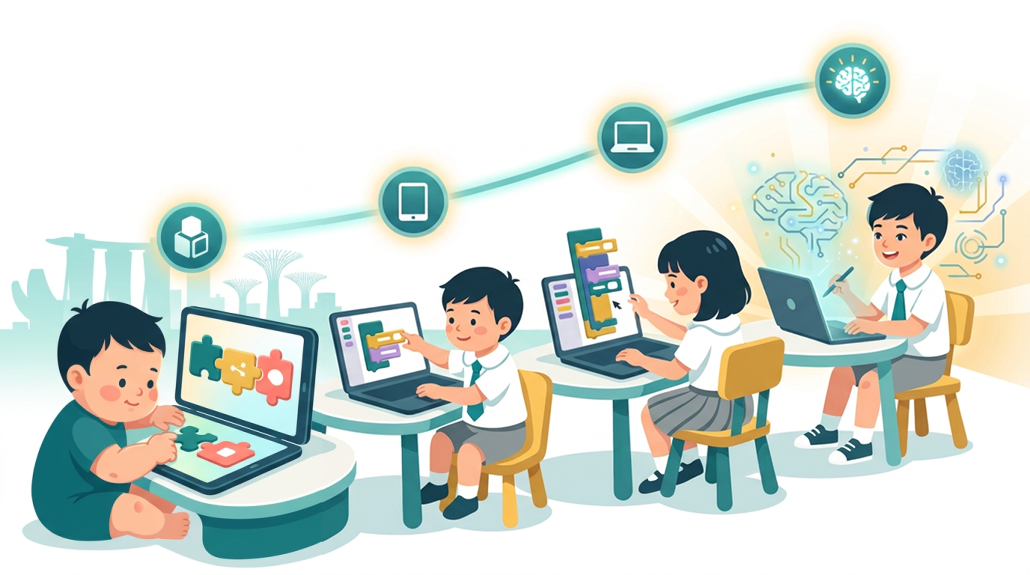
The journey from a toddler pressing directional arrows on a Bee-Bot to a nine-year-old crafting a Scratch game is not as long as it looks. Each stage builds naturally on the last, provided the tools chosen match where the child actually is, developmentally and emotionally, rather than where we might wish they were.
From ScratchJr‘s icon-driven storytelling for pre-readers, through Blockly‘s bridge to real programming vocabulary, and onward to the richer creative possibilities of full Scratch and eventually text-based languages, the progression is designed to keep children in that productive zone where challenge feels exciting rather than overwhelming. The specific platform matters less than the principles behind the choice: start with what the child already loves, keep sessions playful and short, and let curiosity drive the pace.
For Singapore families, there is real advantage in choosing a pre-school that takes this seriously from the earliest years. When coding is treated as a language, introduced in the same breath as English and Mandarin, children absorb it with the same naturalness and ease. The best time to start is not when the curriculum demands it, but when the child is ready to wonder, and that readiness begins earlier than most parents expect.
Want to See How We Bring Coding and Creativity Together for Your Child?
At ChildFirst, coding is part of every child’s day from 18 months through kindergarten, woven into a trilingual environment that develops AI readiness alongside creativity, empathy, and the skills no machine can replace. Visit our centres at Hillview or Tampines and see the EdnoLand curriculum in action.